
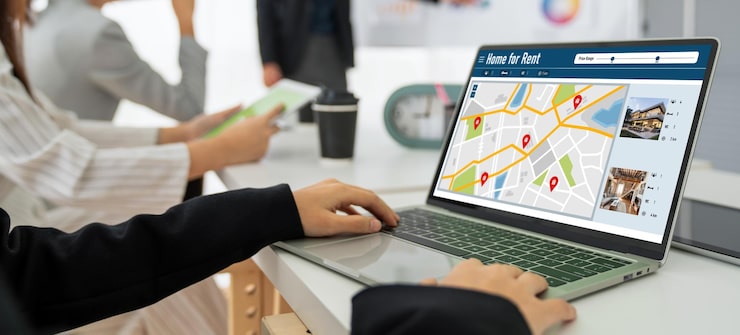
A customer should not have to call you just to find out where your shop is or whether you are open on Saturdays. Yet plenty of small businesses still leave these basic questions unanswered online. Their websites may be perfectly functional, but search for their names on Google Maps, and there is either nothing there or a listing with outdated information.
Fortunately, learning how to get your business on Google Maps does not require technical knowledge or a large marketing budget. Google offers a free tool called Google Business Profile, which lets eligible business owners manage how their companies appear in Google Search and Maps.
If you have never set up a listing before, here is where to begin, what to watch out for, and how to make your profile genuinely useful to customers.
Check Google Maps Before Creating Anything
Resist the temptation to create a new business listing straight away. Search for your company first. Try its full name, street address, and the name of the town where you operate. You might be surprised to find that Google already has some information about your business.
An existing listing is not necessarily a problem. You may simply need to claim ownership of it. Look for an option to claim or manage the business and follow the instructions provided. Creating another listing when one already exists can leave you dealing with duplicate profiles and confused customers.
How to Get Your Business on Google Maps Step by Step
Setting up a profile is fairly simple once you have your business information ready. The part that deserves extra attention is making sure everything you enter accurately represents your company.
1. Sign In and Add Your Business
Go to the Google Business Profile website and sign in with your Google account. Ideally, use an account controlled by the business rather than one belonging to an employee who might leave the company later.
Enter your actual business name. If your storefront says “Oak Street Bakery,” that is the name you should use. Changing it to “Oak Street Bakery Best Birthday Cakes Near Me” might seem like clever marketing, but it can violate Google’s guidelines.
2. Select a Category That Makes Sense
Think about the main reason people contact your business. That should guide your choice of primary category.
A business that mainly repairs household plumbing should select an appropriate plumbing category. There is little benefit in choosing a broad category simply because it might cover more searches.
You can add secondary categories if your company genuinely provides other services. Keep them relevant, though. A shorter list of accurate categories is better than a long list of barely related ones.
3. Decide Whether to Display Your Address
This part depends on how you run your business.
If customers visit your store, office, salon, or restaurant, displaying the address helps them find you. Make sure the map pin points to the right building, particularly if you operate inside a shopping center or a large commercial property.
Now consider a house cleaning company whose employees travel to customers. There may be no reason for clients to visit its operating address. In that situation, the company can generally set up a service-area profile and hide the address.
Google allows eligible service-area businesses to specify up to 20 service areas. There is no need to use all 20 if you only work in a handful of nearby towns.
4. Enter Your Contact Details
Add a working telephone number, your website address if you have one, and your actual opening hours. Double-check everything before moving on.
Opening hours deserve particular attention. Imagine driving across town to visit a shop that Google says is open, only to find the doors locked. It is a frustrating experience, and one that businesses can prevent by keeping their information current.
The same applies to holidays, temporary closures, and seasonal operating hours.
5. Complete Google’s Verification Process
Google needs to establish that your business is legitimate and that you are authorized to manage its information. Depending on your business and location, you may be offered verification through video recording, email, telephone, mail, or another supported method.
You will need to work with the options Google provides. According to its official verification guidance, reviewing your submitted information can take up to five business days.
Keep your verification details private, including any codes sent to your account or business address.
6. Finish the Profile Before Moving On
Getting verified is only part of the job. Take some time to complete the remaining sections of your profile. Add photographs, describe your services, write a business description, and check that your contact information appears correctly.
View the listing as though you were a customer discovering the company for the first time. Is anything unclear? Would you know whether the business offers what you need?
Those questions are worth asking before you consider the listing finished.
What Does a Google Maps Business Listing Cost?
Nothing. Creating and managing a standard Google Business Profile is free.
Google Ads is a separate service. You can advertise your business if you choose, but advertising is not a requirement for appearing in unpaid local search results.
Some business owners hire agencies to manage their profiles, respond to reviews, or improve their local SEO. That is an optional business expense. Google itself does not charge a monthly fee for maintaining a standard business listing.
What Makes One Business Listing Better Than Another?
Picture two independent coffee shops on the same street. Both serve similar drinks, and both appear on Google Maps.
One has three old photographs, missing opening hours, and several unanswered customer reviews. The other shows its seating area, current hours, menu information, and recent photographs of the shop.
Neither profile tells you everything about the quality of the coffee. However, the second gives customers more useful information before they decide where to go. That is what a good business listing should accomplish.
Use Photographs That Answer Customer Questions
Not every image needs to look like it came from a professional advertising campaign. Clear photographs taken in good lighting can be perfectly suitable.
A restaurant could show its entrance, dining room, and popular meals. A furniture shop might photograph its showroom. A contractor could share examples of completed work with the customer’s permission.
Think about what someone would want to see before spending money with your business.
Write a Description Without the Sales Pitch
Customers rarely need another company telling them it offers unbeatable quality and exceptional service. They want to know what the company actually does.
Suppose you run a residential painting business. Mention whether you handle interior painting, exterior painting, preparation work, or smaller residential projects. Explain the areas you cover if that information is useful.
Specific details help people understand whether your business is right for them. Broad promises usually do not.
Make Asking for Reviews Part of Your Routine
A customer who is pleased with your service may be happy to leave a review but simply forget to do so. A short, polite follow-up message can make a difference.
Share your review link after completing a job or fulfilling an order. Do not offer gifts or discounts in exchange for positive reviews, and do not discourage customers from sharing negative experiences.
When criticism does appear, address the issue rather than arguing with the reviewer. Future customers may read your response as carefully as they read the original complaint.
How Does Google Decide Which Local Businesses Appear First?
Google explains its local ranking system through three main factors: relevance, distance, and prominence.
Relevance concerns how closely a business matches the search. Distance considers where the person is searching from, while prominence relates to how well-known or established the business is.
You can read more about these factors in Google’s local ranking documentation.
Notice that business owners cannot control everything. A bakery on the opposite side of town may be less visible to someone searching from your neighborhood, even if it has an excellent website.
Instead of chasing a particular ranking position, spend your time improving the parts of your online presence you can actually manage.
How to Market Your Business for Free Beyond Google Maps
A Maps listing can help people discover your company, but it should not be the only place where useful business information exists.
Start with the questions customers already ask. A bicycle repair shop might regularly receive questions about punctures, servicing costs, or how long repairs take. Those questions could become helpful website articles or short social media posts.
You do not need a new marketing campaign every week. Sometimes the knowledge you share with customers during an ordinary working day is the best material for your next piece of content.
| Marketing Activity | Practical Starting Point |
| Social media | Share genuine business updates and useful customer advice. |
| Website content | Answer questions people ask before making a purchase. |
| Local directories | Keep your contact information accurate on relevant platforms. |
| Email marketing | Send useful updates to customers who have agreed to receive them. |
| Customer referrals | Make it easy for existing customers to recommend your services. |
Choose marketing activities you can maintain alongside your regular workload. An abandoned social media account or a neglected website may be less helpful than one consistently managed channel.
Is SEO Worth It for Small Business Owners?
For many local companies, yes. However, the value of SEO depends on what you sell, how customers find you, and whether your website can turn their interest into an inquiry or sale.
Consider a plumber who serves three neighboring towns. Receiving website traffic from across the country might look impressive in a report, but most of those visitors cannot become customers. A smaller number of visits from homeowners within those three towns could be far more valuable.

That is why local relevance matters.
Build useful service pages, explain what customers can expect, keep your business details consistent, and make contacting you straightforward. These improvements support both your search visibility and the experience of people visiting your website.
SEO does not have to begin with an expensive contract. Start by improving the information you already have online.
My Business Is Verified, So Why Can’t I Find It?
First, search for the exact business name rather than a broad phrase such as “restaurants near me.” If your company appears when you search for its name but disappears during a general search, the profile may be live without ranking prominently for that broader phrase.
If you cannot find the listing at all, check its verification status. Look for pending changes, duplicate listings, incorrect location information, or notices from Google concerning the profile.
Do not create another profile simply because the existing one is difficult to find. Work out what has happened before making changes that might complicate the situation.
Give Your Listing Ten Minutes Every Month
Business information changes more often than people realize. Someone updates the company telephone number, changes a booking page, introduces a new service, or decides to close earlier on Fridays. The website gets updated, but the Google listing is forgotten.
Set aside ten minutes each month to review the basics:
- Confirm that your telephone number and website link work.
- Check regular and upcoming holiday hours.
- Respond to recent customer reviews.
- Replace outdated photographs when necessary.
- Review available performance data, including calls and website clicks.
You may not need to change anything every month. The purpose of the review is to catch problems before they inconvenience a customer.
Final Thoughts
There is little reason for an eligible local business to leave its Google Maps information incomplete. Setting up a profile costs nothing, and much of the maintenance involves information you already know about your own company.
Create or claim your listing, verify it, and give customers a clear picture of what you offer. Keep the details accurate as your business changes.
You cannot guarantee where Google will rank your company tomorrow. You can, however, make sure that when somebody finds it, they have the information they need to take the next step.
Frequently Asked Questions
Can I put my business on Google Maps without a website?
Yes. Eligible businesses can create a Google Business Profile without owning a website. Customers can still find your contact information, operating hours, photographs, and other available business details.
Can I use my home address for a Google business listing?
It depends on how you operate. If customers do not visit your home and you travel to their locations, you should generally hide your address and specify your service areas.
How long does Google Maps business verification take?
Verification times vary according to the method Google provides. Once you submit the required information, Google’s review may take up to five business days, although additional checks can extend the process.
Can I add an online-only business to Google Maps?
Generally, online-only companies without in-person customer contact are not eligible for a standard Google Business Profile. Review Google’s eligibility guidelines before attempting to register an online business.
Can I improve my Google Maps ranking without paying?
Yes. Accurate information, appropriate categories, genuine customer reviews, and a useful website can support local visibility. Paying for advertising is not required to appear in unpaid Google Maps results.
Do I need to create a new listing if my business moves?
Usually, you should update the address of your existing profile rather than create another one. Google may require you to verify the new location before the changes become visible.
Looking for more practical ways to manage and grow your company? Explore additional business and marketing articles at The Believers Business Network and discover ideas that suit your business and budget.